Discounts Tab
The Discounts tab allows you to automatically discount due amounts when a full payment is made, provided the payment is made at least a specified number of days prior to the due date (i.e. an early payment). When a payment is made within the allotted period of time for discounting, a box will appear with the heading “Discount Bill?” asking whether you wish to discount the bill. Select Yes to apply the discount. The MS-61 report will show the discount applied.
To configure the system to accept Discounts for early payment, choose Utilities | Town Settings and select the Discounts tab.
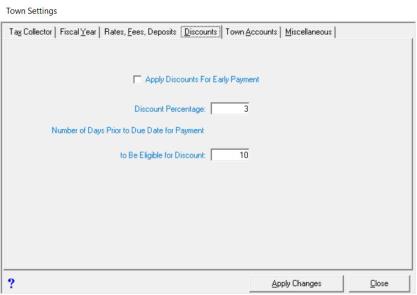
To accept discounts, click in the Apply Discounts For Early Payment checkbox. Enter the Discount Percentage tax payers will receive and the minimum number of days prior to the due date their payment must be applied in order to be eligible for this discount. After all changes have been made, press Apply Changes.